AI-powered Work Intelligence Platform
Doezze combines project management, automatic time tracking, productivity analytics, team visibility, and AI automation in one workspace — so the work, the time, and the insight all live in the same place.
Work, time, and insight — finally in one place.
Most teams stitch a project tool, a time tracker, a spreadsheet, and a chatbot together. Doezze runs them as one AI-powered workspace.
- Time tracked in one tool, work in another
- Productivity hidden in spreadsheets
- An AI chatbot that can't see your data
- No single view of how work is going
- Project management with Kanban, sprints & backlog
- Automatic time tracking — no manual timers
- Productivity analytics & always-on insights
- AI automation that sees your whole workspace
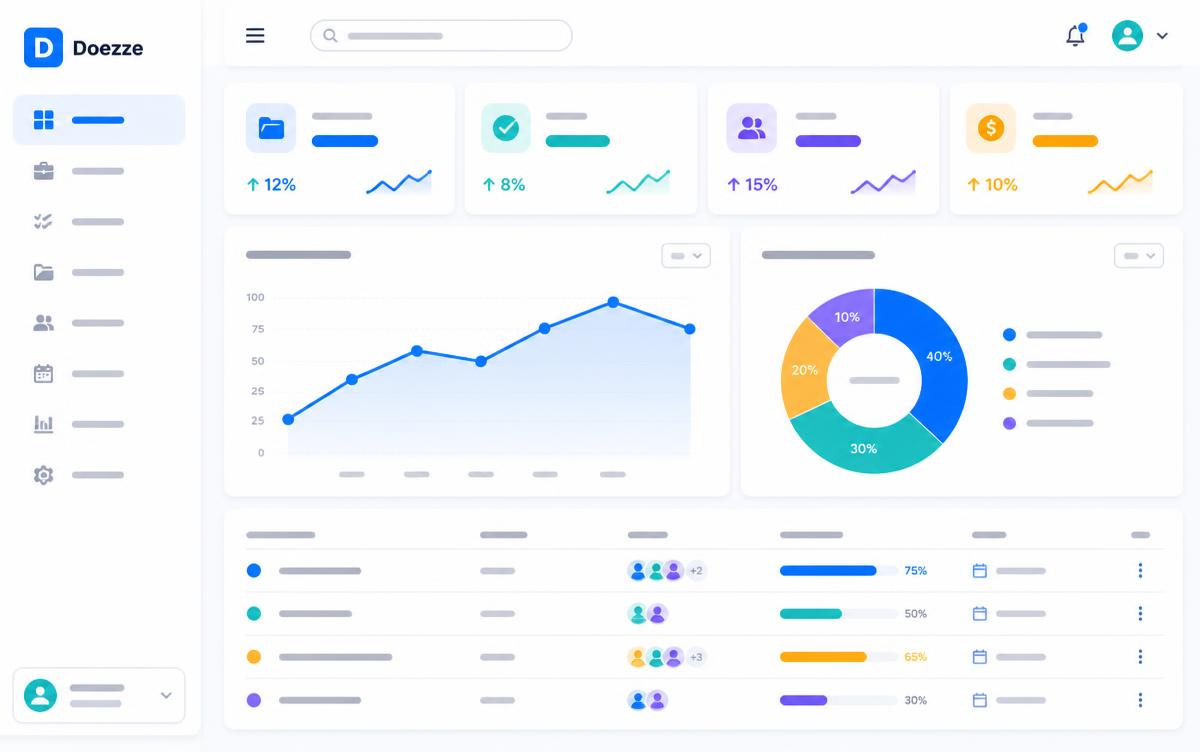
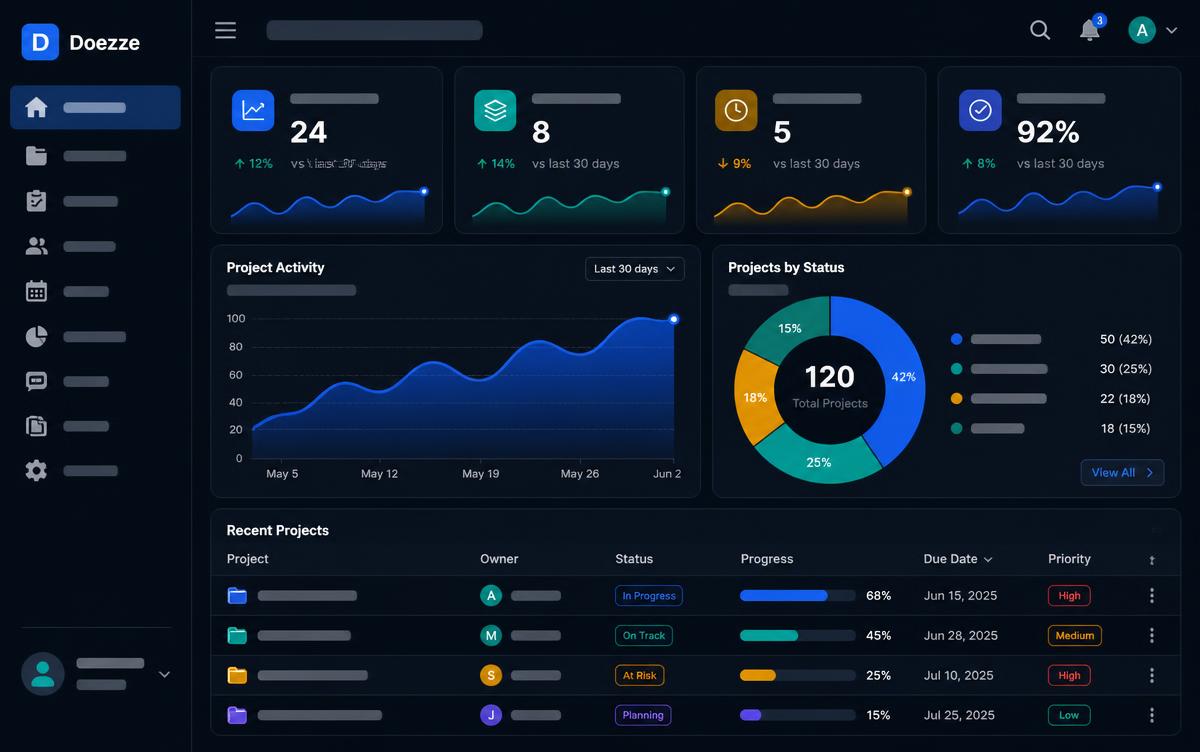
A dashboard that answers, not decorates.
No 'build your own report' wizard. Completion rate, cycle time, workload, status mix — populated the moment your team creates work. The chart is filled on day one.
- Live KPIs, no configuration
- Created vs Completed trend, weekly cadence
- Status donut color-matched to your columns
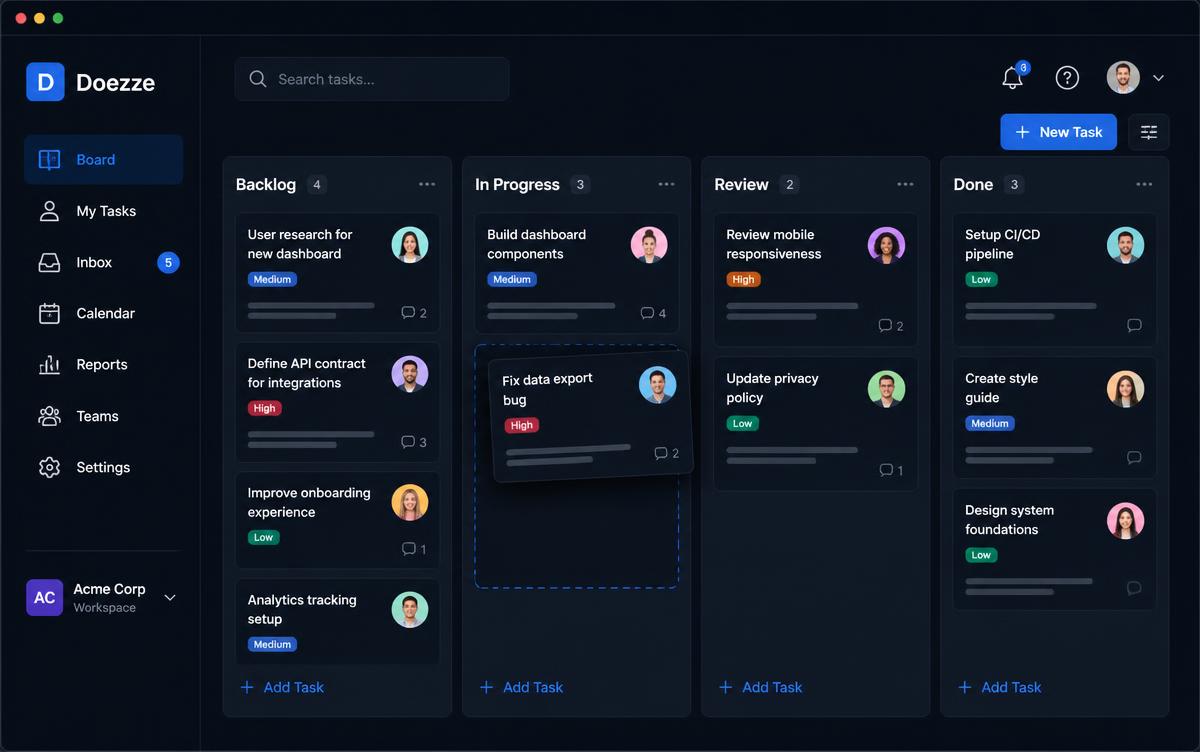
Kanban without the ceremony.
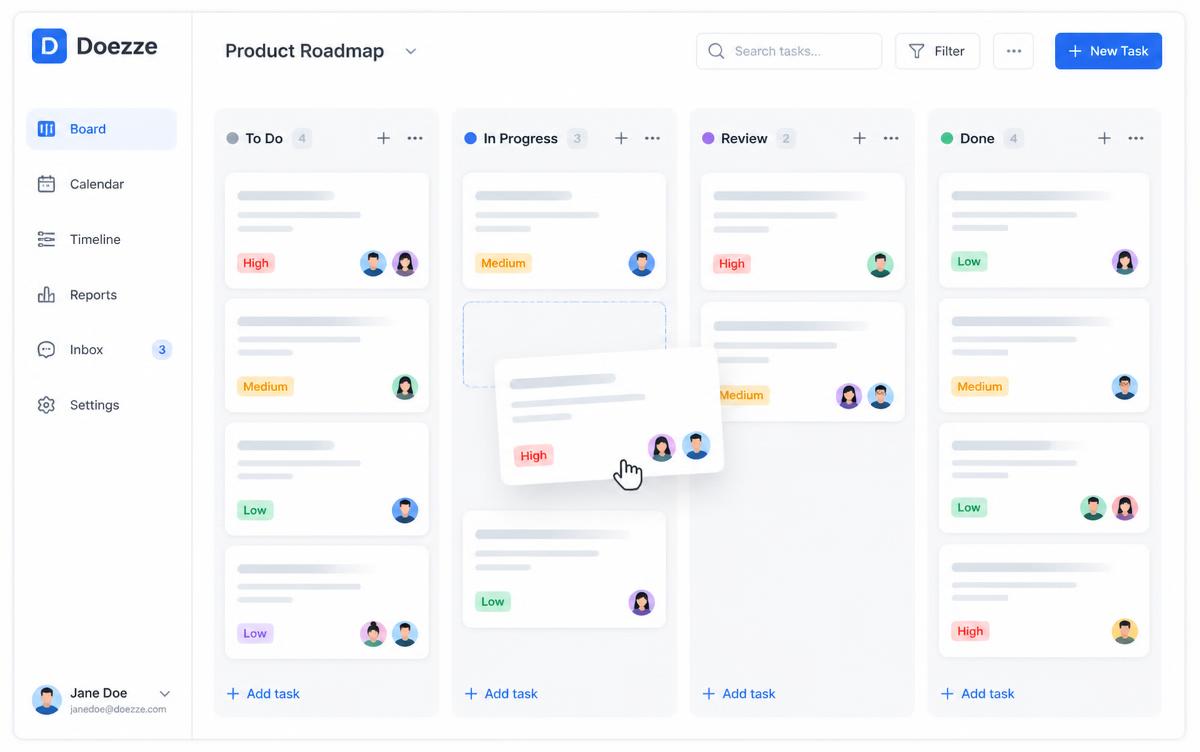
Drag between lanes, edit titles inline, filter by assignee, project, type, and time. No 'workflow designer', no 4-step task type wizard. Just the board.
- Custom lanes per workspace
- Story points, priority, due-date signals
- Real-time presence on every card
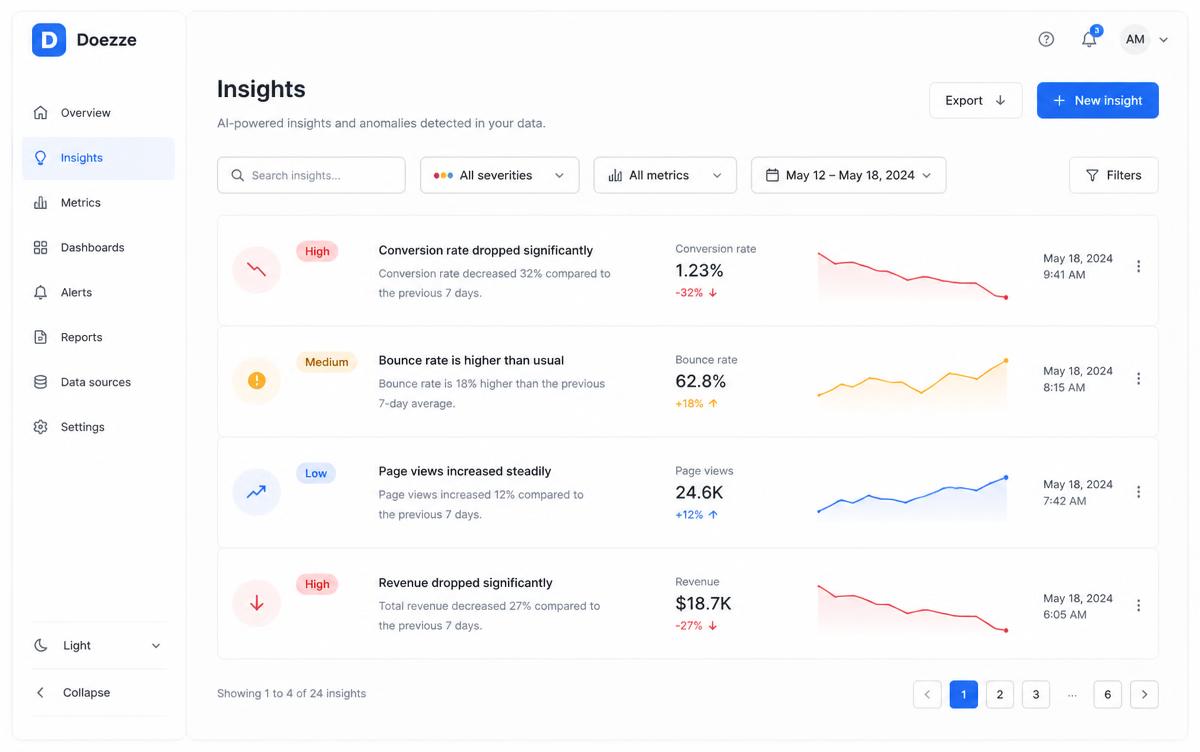
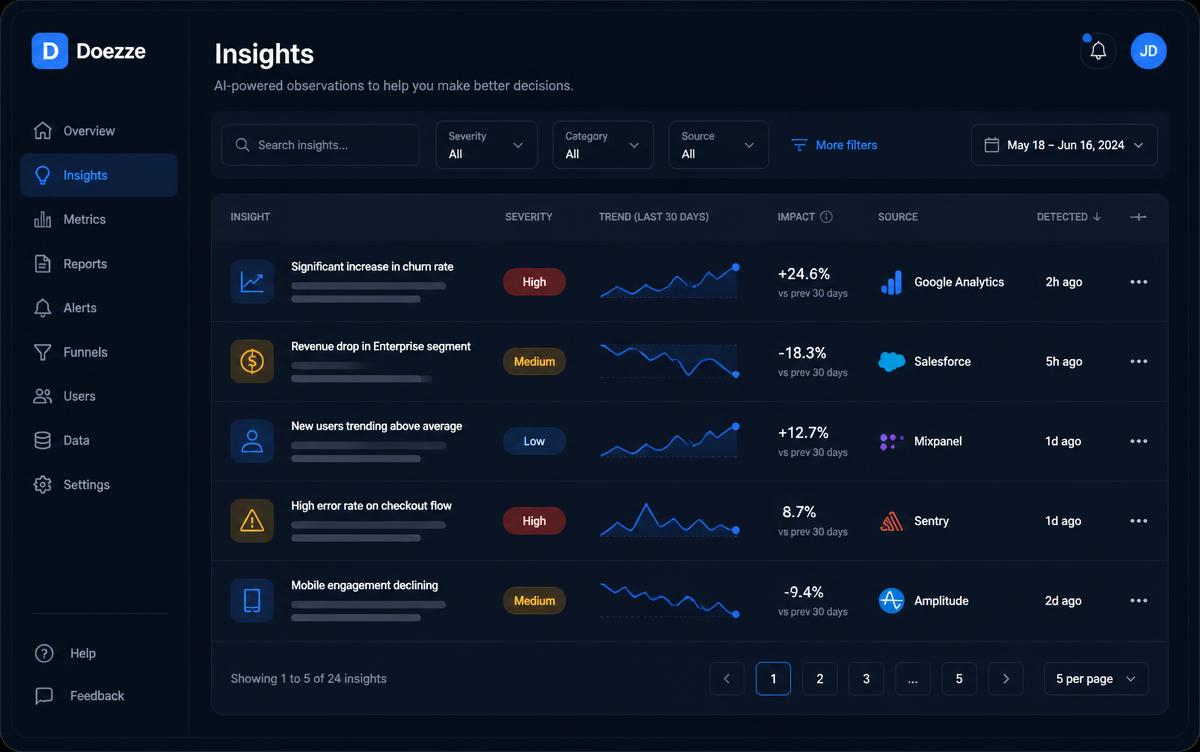
Insights that tell you what to fix.
Everyone else sells you 'analytics add-ons'. Doezze ships 16 always-on signals: overdue, idle resources, stale in-progress, priority mismatch, at-risk projects — surfaced before your next standup.
- Severity-ranked (Critical / Warning / Info / OK)
- Filter by category, search across everything
- Owner & admin only — respects scope
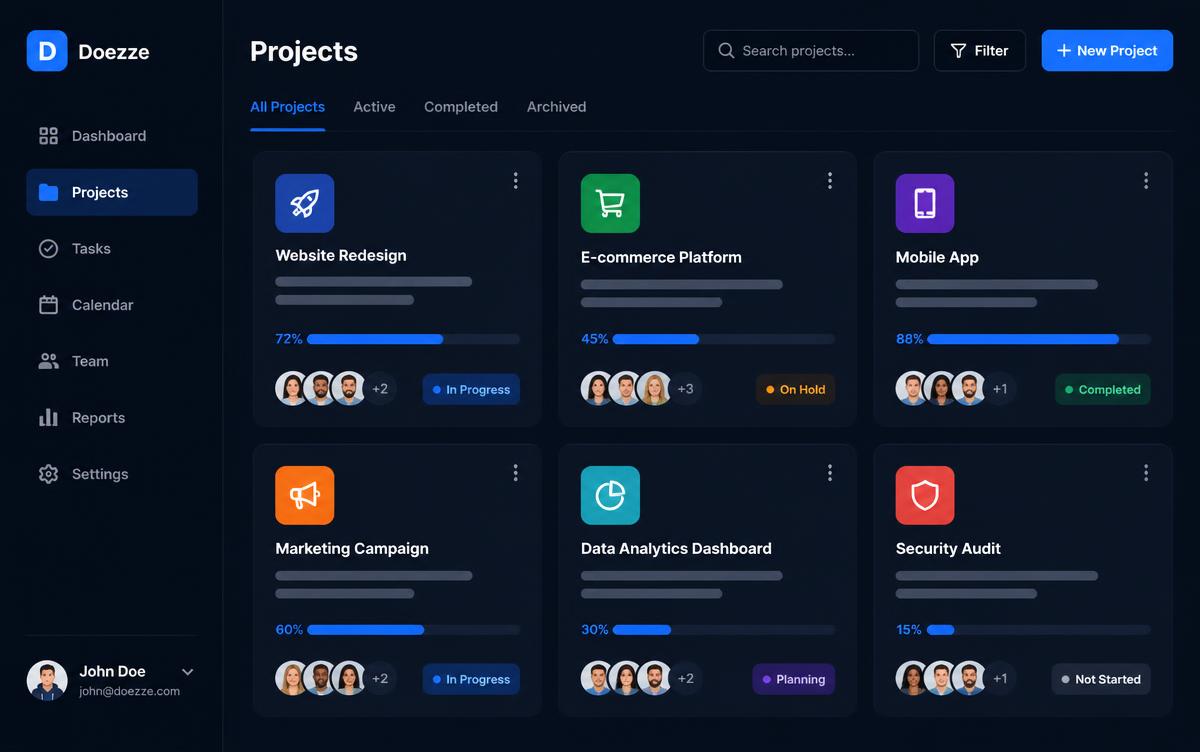
Projects that carry the team with them.
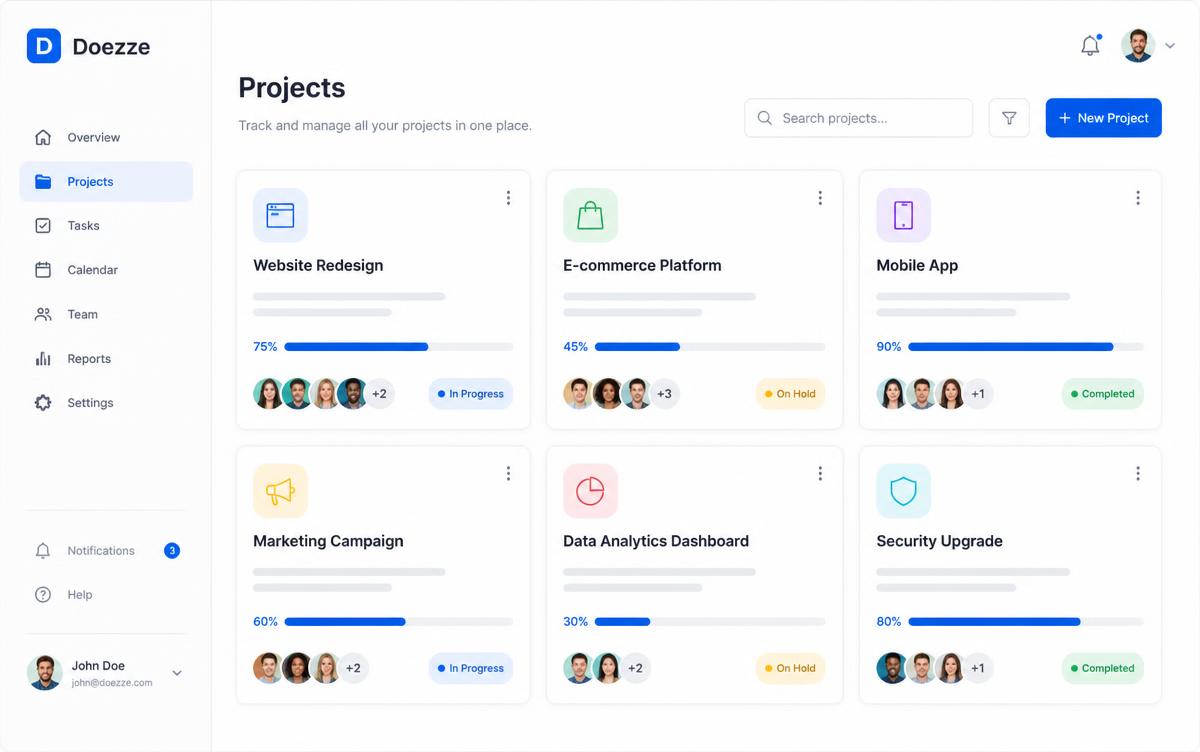
Assign owners, see who's online, track completion, open the full board in one click. Projects are cards — not spreadsheets pretending to be cards.
- Project owner and team stack
- Progress bars with live task counts
- One-click Summary with full metrics
Your AI project manager. Just ask.
Skip the forms. Tell Doezze AI what you want to ship and it plans the project, creates the sprint, writes the tasks, and assigns the team — all waiting for your approval.
Here's the plan — review before I run it:
What the chatbot can do
Type naturally. Doezze AI understands context about your workspace and proposes structured actions.
Your workspace inside the AI you already use.
Doezze exposes secure workspace tools through the Model Context Protocol. Connect once, then ask Claude, ChatGPT, or Cursor to read tasks, plan sprints, and update work — all under your team's permissions.
One connection, every AI assistant
Doezze speaks the Model Context Protocol, so the agents you already trust can work with your workspace data without learning a new API.
Don't rebuild your workflow around another assistant. Connect once, then let Claude, ChatGPT, Cursor, and Lovable Agent manage the work while you focus on shipping it.
Know where the hours actually go.
A lightweight Windows agent streams active, idle and offline time into Doezze. You set the policy — daily working minutes, productive minutes, weekly working days — and every number is measured against it.
Productivity %
Active minutes measured against your productive-minutes policy — per person, per day.
Attendance & shortfall
Present time vs expected working time, with overtime and shortfall called out.
Focus ratio
Active vs idle split so long logged-in days don't masquerade as output.
Live status board
Who's online right now, on which device, with last-heartbeat freshness.
Device mapping
Map registered machines to team members — names show everywhere, not hostnames.
Department rollups
Top and low performing people and departments, with period-over-period change.
Reviews backed by real delivery data.
Self-assessment, manager review, ratings and goals — with tickets closed, story points, on-time delivery and tracked productivity sitting right next to the rating box.
Self-review first
Team members reflect before the manager rates — managers can't start until self-review is in.
Delivery metrics inline
Tickets, story points, overdue work and top wins pulled straight from the board.
Productivity attached
Tracked active time, attendance and shortfall shown for the exact review period.
Goals & follow-through
Set goals per cycle and carry them into the next review with completion tracking.
Email + in-app alerts
Manager notified on self-submission, employee notified when the review is finalized.
Review dashboard
Rating distribution, calibration, competency gaps, missing reviews by manager — click any card to drill in.
Customer issues that route themselves.
Share one public support link per project. Customers raise an issue without an account, AI reads it, tags it, and hands it to the right engineer — load-balanced, SLA-timed, and visible on the same board as the rest of your work.
Public support page
A tokenized link customers open in a browser — no login, no seat, no email ping-pong.
AI classification
Subject + description are read and matched to the tag your team actually covers.
Auto allocation
Assigned to the covering member with the lightest open queue, or the fallback owner.
SLA clock starts
First-response and resolution targets per priority, with breaches surfaced live.
Branded public page
Per-project intake link with your project name, categories and a confirmation email — regenerate the token any time.
Tag mastery
Define support tags with keywords once; map which teammates cover which tags.
Load-balanced assignment
Among covering members with auto-assign on, the one with the fewest open tickets wins.
SLA presets
Industry presets or your own first-response and resolution targets, per priority.
Customer replies inline
Customers respond from the link; replies land as comments on the ticket, notifications included.
Support Insights
Backlog age, breach rate, resolution time, reopen rate, volume by tag and requester — on its own dashboard.
Scribble a note. Get a real ticket.
Every project has a notepad for call notes, hallway decisions and half-formed ideas. When a note actually describes work, one click turns it into a properly typed ticket — with context, expected outcome and acceptance criteria written for an engineer picking it up cold.
Notes live in the project
Rich-text notes attached to the project, paginated five at a time so the panel stays calm.
Knows what's actionable
Pure observations, meeting minutes and decision records are left alone — no junk tickets.
Right type, right priority
Story, bug, change request or task — with a priority inferred from the wording.
Written-out description
Context, expected outcome and 2–4 acceptance criteria, generated in the ticket editor's format.
Note ↔ ticket linked
The note remembers its ticket, so the same note never spawns duplicates.
Logged in activity
Created-from-note events land in the workspace activity feed with a direct ticket link.
“Ops said the weekly export keeps timing out once a customer has more than ~5k rows. They're downloading manually every Monday. Would be good if it emailed instead.”
Context: Exports over ~5k rows time out; ops downloads manually each Monday.
Expected outcome: Large exports are generated async and delivered by email.
- Exports above the row threshold queue in the background
- Requester receives a download link by email
- No request times out regardless of row count
One platform. Right-sized pricing.
Flat monthly platform fee plus a small per-user charge. AI tokens included — no hidden AI billing.
Basic
For startups getting organised
₹299 / user / month
- Projects, tickets & Kanban boards
- Sprints, backlog & swimlanes
- Doezze AI assistant & AI ticket builder
- Customer support intake & SLA insights
- Resource hub with versioning
- Daily huddles, standups & blockers
- Recognition points & leave management
- Dashboards, insights & activity log
- —Time tracker
- —Performance review management
Pro
For teams that measure outcomes
₹399 / user / month
- Everything in Basic
- Automatic time tracker & idle detection
- Application & productivity insights
- Performance review management
- Monthly, quarterly & yearly review cycles
- Attendance & shortfall analytics
- Department & manager reporting
- Priority support
Enterprise
For scale, security & custom needs
Tailored to your team size
- Everything in Pro
- Custom seat & AI token bundles
- Dedicated onboarding & training
- Custom integrations & API access
- Advanced governance & business rules
- Single-tenant / data residency options
- SLA-backed support with a named contact
The whole delivery loop. No add-on modules.
Big tools charge extra for each of these. Here they're just… included.
Sprints & Backlog
Plan iterations, groom backlog, and track sprint health in one place.
Kanban with swimlanes
Group by parent task or project for JIRA-style visibility.
Kanban boards
Drag-and-drop across lanes you define.
Team workspaces
Invite by email, assign roles in seconds.
Real-time presence
See who's online across projects and team pages.
Live dashboard
KPIs & weekly cadence at a glance.
Important Insights
Project-scoped signals for owners, admins, and members.
Doezze AI assistant
Plan projects, sprints, and tasks in plain English — approve before it runs.
Projects & tasks
Priorities, story points, due dates.
Activity feed
Every change, chronological, exportable.
16 insights, always on
Overdue, idle, at-risk — no add-on.
"We were spending $2,400/mo on a PM tool nobody wanted to open. We switched to Doezze, cut the bill by 70%, and standups actually got shorter."
Cancel the bloat. Keep the work moving.
Set up your team's workspace in under a minute. No credit card, no setup call.
Create your workspaceNeed help? We're one form away.
Raise a support request, report an issue or ask a question — no account needed. Our team picks it up and replies by email.